
Why Product Photos Drive E-commerce Purchases
First impressions form in seconds
When a visitor lands on a product page, they look at the image before reading the description. E-commerce product photography comes into play right here: The clarity, lighting, and framing of the image quickly create a mental sketch of what the product is actually like. If that sketch is negative, no matter how good the text and price on the page are, the visitor may leave before making a decision. In other words, the visual is like a silent salesperson working at the very start of the sales process.
The first contact with the product is visual
In a physical store, you pick up the product, touch it, and look at it from different angles. In an online store, the product image takes the place of this experience. The texture of the fabric, the tone of the color, the size and proportions of the product are largely conveyed through photography. That is why a single shot is often not enough; you need to show the product from different angles, in a way that gives a sense of scale, and with close-up details. The more descriptive the visual, the fewer question marks remain in the visitor's mind.
Perception of trust and professionalism
A blurry, crooked, or poorly lit photo makes visitors feel that "this store does not do its job carefully." This feeling is not limited to the photo; it also reflects on expectations for shipping, returns, and customer service. Stores with a consistent visual language, on the other hand, appear more corporate and trustworthy. Therefore, product photography directly influences the trust decision as well as the purchase decision.
How Product Visuals Affect Purchase Decisions
Managing color and texture expectations correctly
Customers expect the color they see on screen. The moment the product arrives and they say "this is not the color I ordered," the return process begins. Therefore, using excessive saturation, heavy filters, and color shifts in photography may attract attention in the short term but increases the return rate in the long term. Shooting with balanced lighting close to daylight reduces the difference between the screen and the product. Shooting different variants of the same product under the same light and background also makes it easier for customers to compare.
Conveying a sense of scale and proportion
One of the most common problems in online shopping is that the size of the product is not understood. When a vase, a piece of jewelry, or a furniture item stands alone on a white background, size information is lost. Adding a familiar reference object next to it, showing the product in use, or sharing measurements in a separate frame reduces this uncertainty. When the scale is clear, orders placed with the wrong expectation and later canceled also decrease.
Detail shots that reduce indecision
The purchase decision is often locked by the question "what if": What is the inside surface of the fabric like, are the seams neat, how does the back of the product look, what is inside the box? Answering these questions visually produces results much faster than explaining them in text. Adding detail, in-use, and package contents shots reduces indecision; it also reduces the visitor's need to go to other pages or reviews to make a decision.
Practical Steps for Online Store Product Photos
Preparation before the shoot
Create a product inventory and shot list
Write down in advance how many frames each product needs: hero shot, detail, scale, in-use, and package contents. This reduces the risk of missing shots during the shoot, makes production more predictable, and reduces the need for reshoots later.
Fix the lighting and background
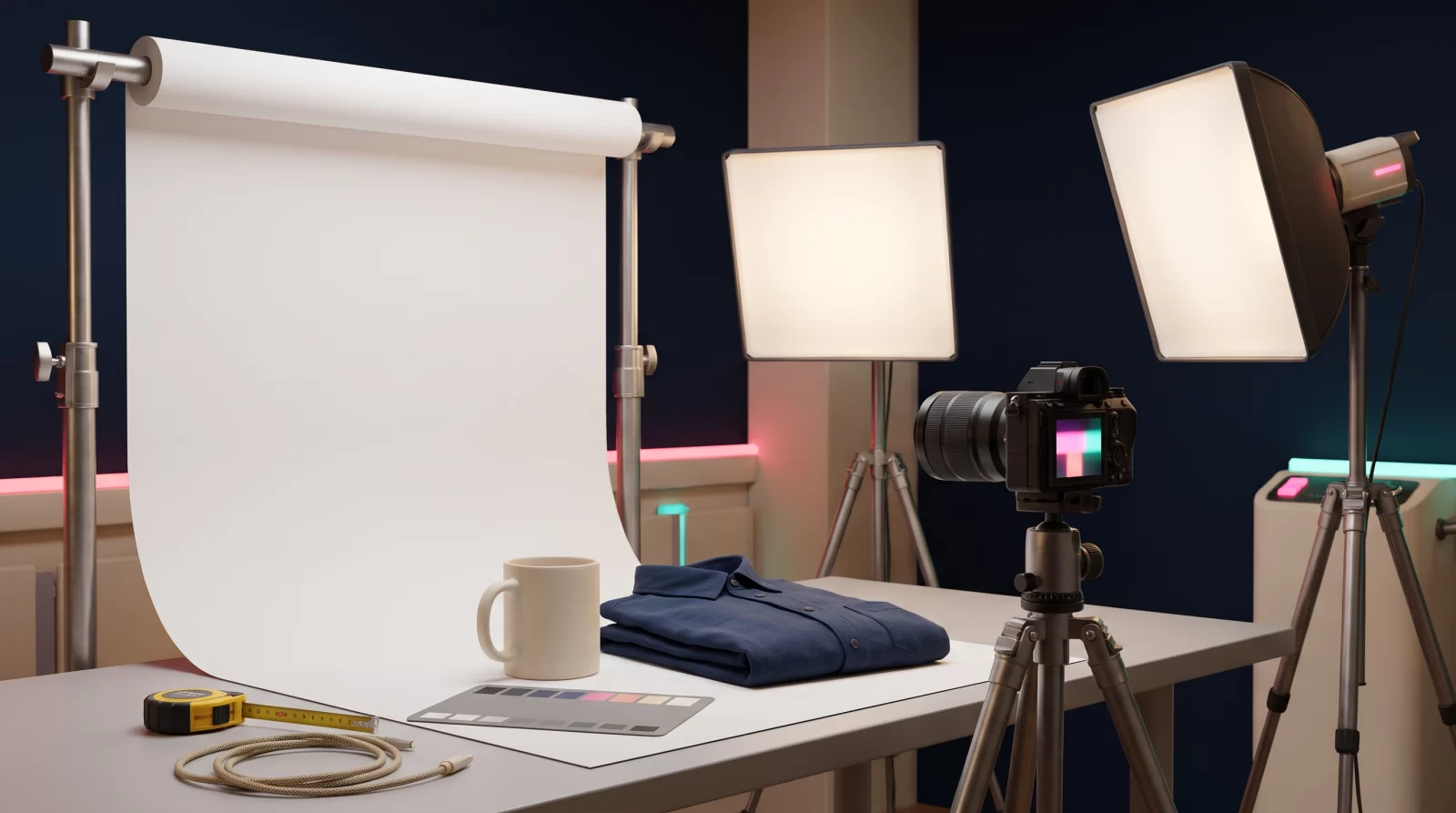
Set up soft, diffused lighting; direct overhead light creates harsh shadows. Keeping the background color, camera height, and angle the same for every product ensures a consistent look on category pages. This consistency directly contributes to the brand being perceived as professional.
Scale and texture during the shoot
Set a framing and angle standard
Repeat the front, side, top, and detail angles for every product. Shooting by moving closer instead of zooming reduces perspective distortion; wide-angle lenses can make the product look different from reality.
Use a reference for white balance
Setting white balance with a gray card or a white surface prevents color shifts, especially in environments with mixed lighting. This small step helps reduce color complaints that affect the return rate.
Post-shoot editing and preparing for publishing
Your goal in editing should be to show the product accurately, not to make it look prettier. Avoid adjustments that change the color from reality, clean up shadows and reflections, and correct the background. Then resize the images appropriately for the web, save them in modern formats, and check them in mobile view.
- Name files meaningfully with the product name.
- Avoid unnecessarily large files to maintain page speed.
- Keep image alt text short and descriptive.
Common Product Image Mistakes and Fixes
Settling for a single shot
Many stores upload a single photo for each product. Yet visitors want to see the product from different angles, examine details, and understand scale. The solution is simple: define a fixed set of shots for every product and make that set mandatory. The main shot, a second angle, a detail shot, a scale shot, and pack contents are a sufficient starting point for most products. This structure also creates a standard for the team adding products.
Over-editing and unrealistic colors
Heavy editing to make colors pop can make the page look attractive in the short term; however, when the product arrives, expectations are not met. This increases both returns and the risk of negative reviews. When editing, your benchmark should be "the product looks exactly as it does on screen." If possible, check the edited image by comparing it across different screens and on a phone screen.
Skipping mobile display and page speed
A significant portion of traffic comes from mobile devices; details that get lost on a small screen negatively affect purchase decisions. When uploading images, test aspect ratios for mobile display and make sure the product is not cut off due to cropping. Also, large files slow down page speed; when speed drops, visitors may leave the page without seeing the product. Balancing image quality and speed is a core part of online store performance.
Product Photography: Test, Measure, Improve
Which metrics should you track
Looking only at sales is not enough to understand the impact of images. Tracking the transitions between product page views, add-to-cart, checkout, and completed orders shows where the problem begins. If the phrase "the product is not as it appears" repeats among return reasons, the issue is most likely in the image. Seeing which shots are viewed more on a product-by-product basis also reveals which image works at the decision moment.
How to set up an A/B test
Instead of changing everything at once, run small and measurable tests. For example, compare two different main images of the same product during periods with similar traffic. You can follow this sequence when setting up a test:
- Choose a single variable to test: the main shot, a scale shot, or a lifestyle image.
- Do not stop the test early until enough traffic has been collected.
- Evaluate the result not only by clicks but together with add-to-cart and return data.
- Before rolling out the winning shot across the category, validate it on different product types.
Sustainable production on a small budget
You do not have to rent a studio for every product. Setting up a repeatable setup with a fixed corner, two soft lights, a plain background, and a tripod brings both consistency and speed over time. As your product range expands, creating a shooting calendar makes it easier not to publish new products without images. Image production should be treated not as a one-off task but as an ongoing process. If you want to establish your store's visual standard together, you can contact the CSA Medya team.
Key takeaways
Clarity and accuracy first, aesthetics second
The first goal in product imagery is to show the product accurately. Aesthetic interventions made without ensuring light, clarity and color accuracy create a mismatch in expectations. Focus on conveying the product as it is during the shoot; embellishment should come next.
Define a standard shot set for each product
Standardize shots such as the main shot, second angle, detail, scale and package contents. This list both simplifies shoot planning and prevents the team adding products from publishing with missing visuals. A consistent set also provides a tidy appearance on category pages.
Reduce return risk with visuals
If the product does not look as it appears, returns are inevitable. Shoots that do not exaggerate color, references that convey a sense of scale and texture details set expectations correctly. This reduces both the return rate and the risk of negative reviews.
Don't decide without testing
Determine which visual works better with data, not guesswork. Set up single-variable tests, collect enough traffic and evaluate the result together with add-to-cart and return data. Before rolling out the winning approach across the category, validate it on different product types.
Frequently asked questions
How many photos should be used for each product in e-commerce?
Although there is no fixed number, a single image is insufficient for most products. A main image, a second angle, a texture or detail shot, an image that conveys scale, and an image of the package contents are a good starting point. For products such as jewelry, textiles, or furniture, increasing the number of images reduces hesitation. What matters is not so much the number of images, but whether they answer the questions in the visitor's mind.
Is it enough to take product photos with a phone?
Current phones can capture sufficient quality for many products. What matters more than the device is lighting, background, and consistency. With soft lighting, a plain background, and a fixed angle, consistent results can also be achieved with a phone. However, for products where small details, textures, and delicate colors need to stand out, professional equipment makes a difference.
Is shooting on a white background mandatory for every product?
It is not mandatory, but it is preferred in many categories because it makes comparison easier. A white background makes the product stand out and creates a consistent look on category pages. Lifestyle or in-use images, on the other hand, play a complementary role by showing how the product is used. Using both together creates a balanced visual set.
Do product images affect the speed of an online store?
Yes, especially large files slow down page load. If a visitor leaves the page before seeing the product, even the best photo is of no use. Images need to be sized appropriately for the web, use modern formats, and be tested on mobile. Balancing quality and speed is as important for conversion as photo quality.
How can I measure the impact of photos on purchase decisions?
Track product page views, add-to-cart, and checkout initiation rates together. If color or appearance complaints recur among return reasons, the problem is most likely in the visuals. By setting up single-variable A/B tests, you can compare the impact of changes to the main image or detail image. Evaluate the result not only by clicks but together with return data.
Should customer photos be used as product images?
They can be used, but care is needed. Real customer photos can increase trust by showing how the product looks in different settings. However, low-quality, blurry, or misleading images should not replace the main image. The healthiest approach is to keep professional main images and present customer photos in a separate section.
Is professional support essential for product photography?
It is not essential; however, as the number of products increases, consistency and time management become more difficult. Professional support is particularly helpful in lighting setup, color accuracy, and establishing standards. Small stores can start with a simple setup and increase support as the need grows. What matters is that, whichever method you choose, the product set remains consistent and accurate.